European Accessibility Act requirements
Find and document accessibility issues on your Shopify storefront.
Storefront accessibility checks, and a record you can keep.
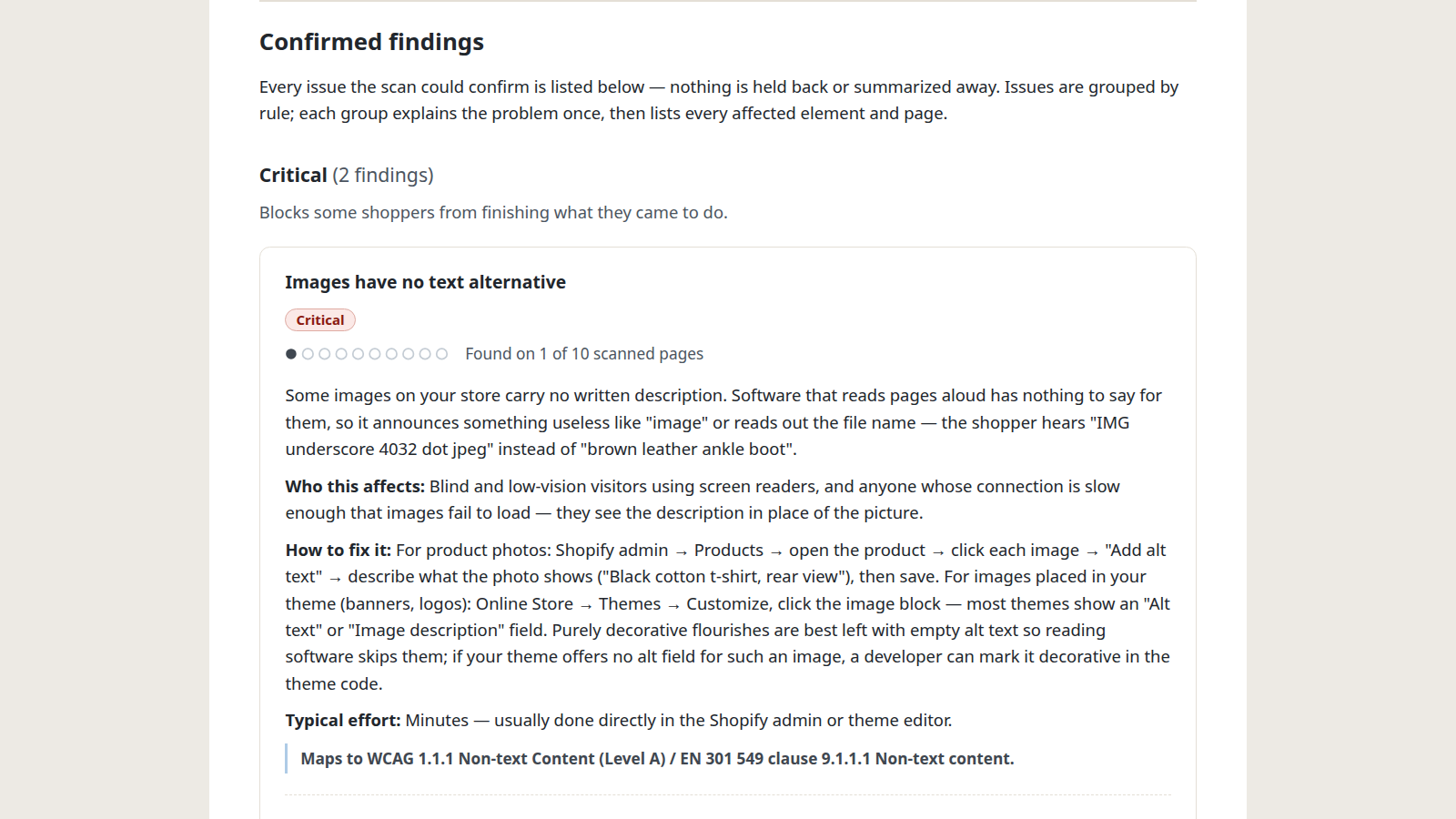
One finding, as it appears in a report. Every finding carries the same four things.
What it does
Scans the page templates a shopper meets — home, product, collection, cart, search and your policy pages — in a real browser, and lists what it found in plain language: the issue, the pages and elements it appears on, and what to change. Every finding cites the WCAG success criterion and the EN 301 549 clause behind it. Your first full report is free and nothing in it is hidden. On a paid plan it checks again when you publish a theme, says what is new, and keeps a dated record.
Automated checks find a subset of accessibility issues; manual review is required for full conformance.
The app changes nothing on your storefront. It installs no widget, alters no theme code, and adds nothing your shoppers can see. Fixes are yours to make.
Every finding carries four things.
Enough to act on without opening a standard, and enough to check us on if you do.
The issue, in plain language
What the problem is and who it stops, written for the person who has to fix it rather than for a standards committee.
The pages and elements it sits on
Which of your scanned pages carry it, and the fragment of your own markup each occurrence was found in.
The change to make
The steps through Shopify admin or the theme editor, named as they appear on screen.
The clause behind it
The WCAG success criterion and the EN 301 549 clause, on every finding, so the reason is checkable and not ours to assert.
And what it could not decide.
Some checks an automated tool cannot settle on its own. They are listed as their own section, named, and neither counted as problems nor quietly cleared.
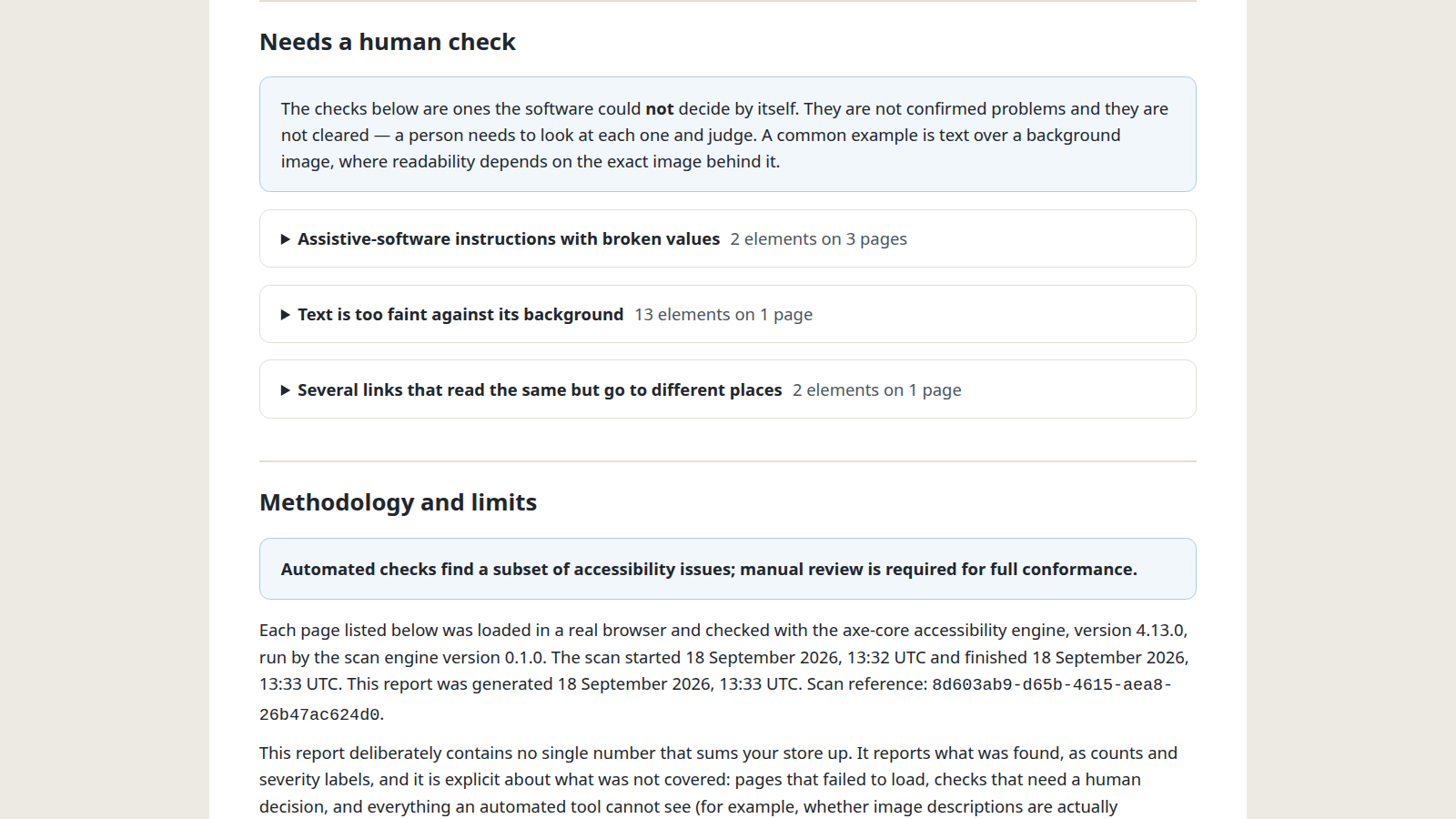
A checker that reported only what it was sure of would look cleaner and tell you less.
Twelve pages, one of each kind.
A theme renders every page of a kind the same way, so a scan samples up to twelve pages rather than crawling the whole store. This is what a scan takes, and it is the ceiling, not an average.
- Home 1 page
- Product 2 pages
- Collection 2 pages
- Content page 1 page
- Blog index 1 page
- Article 1 page
- Cart 1 page
- Search 1 page
- Policy pages 2 pages
Pages beyond these are not scanned. A shop whose trouble is on one unusual page will not find it here, and the report says which pages it read.
A theme publish undoes the work.
A report is a snapshot and a storefront changes. On a paid plan the storefront is read again on its own, and you are told what is different.
It runs again when you publish
Re-checks the storefront when you publish a theme, and on a schedule.
It says what changed
Tells you what is new since the last check, and what came back.
It keeps the record
A dated record of what was checked, what was found and what was done.
It keeps your statement current
An accessibility statement for your storefront, kept current.
One free report per store, then a subscription or nothing
What it costs.
Before any of this: one complete report for your store, with nothing hidden. No card, no trial, and it is yours to download and keep.
Weekly
€39 a month
Your storefront is checked again after you publish a theme, at most once every hour, and once a week besides, with 10 rescans a month by hand.
- A fresh scan after you publish a theme, at most one every hour
- A weekly scan besides, so slow changes do not go unnoticed
- An email when something new appears — and nothing when nothing has
- Every scan kept, so you can show what changed and when
- An accessibility statement that stays current as your store changes
- 10 rescans a month by hand, for checking a fix
Daily
€99 a month
The same, checked every day, with no limit on rescans by hand — for stores that change often.
- Everything in the Weekly plan, checked every day instead of once a week
- Rescan by hand as often as you like, with no monthly limit
Both plans start with a 30-day free trial. Cancel anytime.
Every plan is billed through Shopify. Shopify takes the payment, issues the invoice and applies its own terms; we never see or store your card.
Your first report is free.
One complete report for your store, with nothing hidden. No card, no trial, and it is yours to download and keep.
One person answers support, normally within two working days. Questions before you install, or about what a scan would read on your store: [email protected]